Free
Get started with all personal features.
Free
- All personal features included
- Up to 2 minutes per recording
- Local recording and review
Team sharing and the Comment track are not included.
iSimBot · Built for Mac
Describe what you want to test. Let your AI assistant explore your app in the iOS Simulator, then review the recording to understand what happened.
Mac App coming to the App Store · Free includes all personal features and recordings up to 2 minutes.
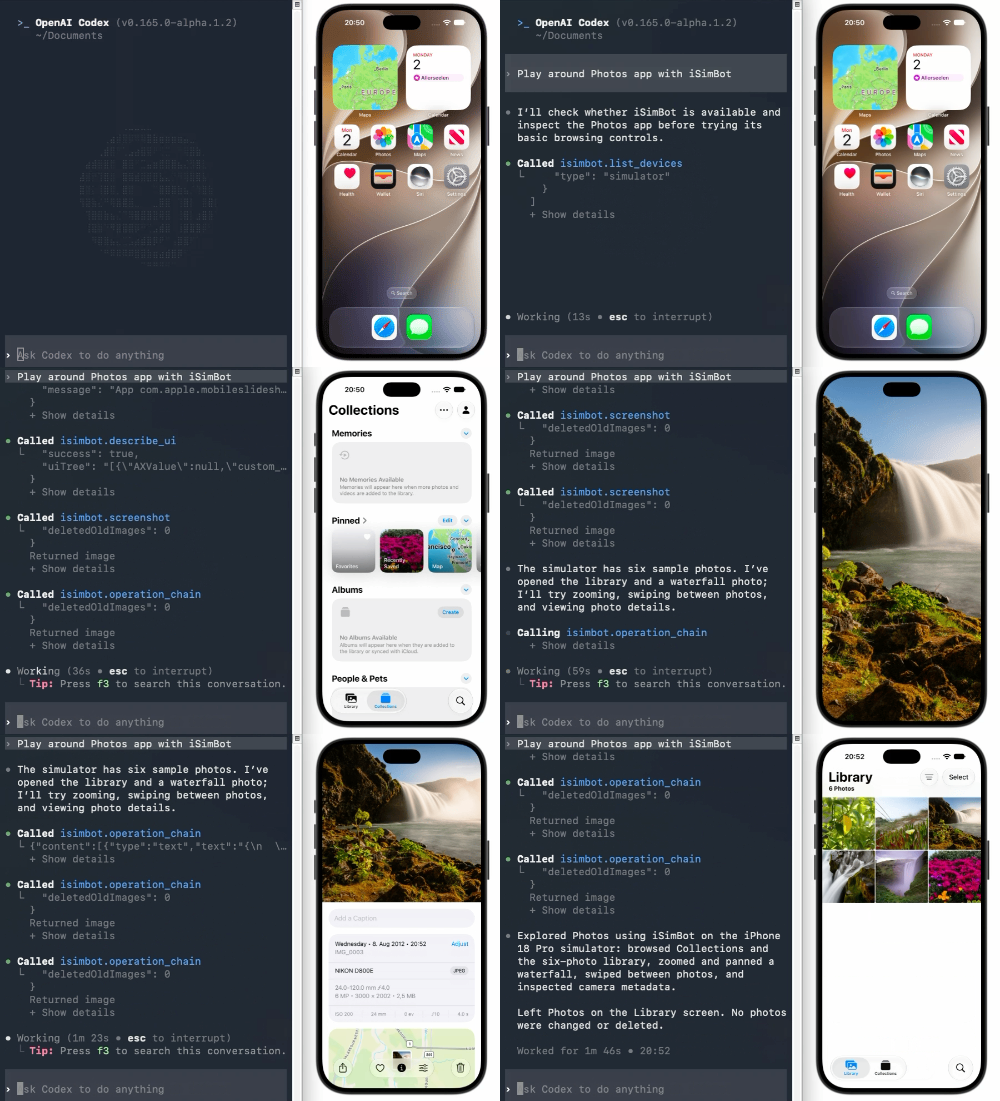
Existing MCP demo. Mac App interface preview to follow.
A simple workflow
Use an app already running in the Simulator. No predefined test script required.
Connect an MCP-compatible AI client, such as Claude Code or Codex, to iSimBot.
Set a goal for a smoke test, a new feature, or unexpected interaction paths.
Capture a session and revisit its timeline to inspect what happened.
See it in action
This recording demonstrates the open-source iSimBot MCP integration.
Team · Coming soon
Share recordings with your organization and keep the discussion attached to the moment that matters.
Upload a recording to your organization so members can view it and download a copy.
Add markers and comments at specific points in a recording. Available only on Team.
Discuss the same interaction with developers, QA and product teammates.
Plans
Every personal feature is included in Free. Upgrade for longer recordings, or collaborate with your organization on Team.
Get started with all personal features.
Free
Team sharing and the Comment track are not included.
More time for deeper exploration.
Price to be announced
Recording limit and billing details will be announced.
Review the same recording, together.
Price to be announced
Recording limits, storage allowance and billing details will be announced.
Mac App launch is planned for the App Store. Team collaboration is coming soon. AI provider charges are separate.
A Mac with Xcode and an iOS Simulator runtime, an app that can run in the Simulator, and an MCP-compatible AI client. Exact Mac App system requirements will be published at launch.
You can explore an app already installed in the Simulator. iSimBot does not need to build the app or integrate into its source code.
All personal features, with a maximum of 2 minutes per recording. Organization sharing and the Comment track are exclusive to Team.
Personal supports longer recordings. Its price and recording limit are still to be announced.
Team collaboration is planned. It adds organization recording uploads, member access and downloads, and a Comment track for timestamped discussion.
No. Your selected AI client and provider determine how screenshots and other test context are processed. AI service charges are separate from iSimBot.
The Mac App is coming to the App Store. You can explore the open-source MCP project today.